Level 0
Classic Map
Generate a topical map without demand weighting or trend filters. A starting point for exploring related coverage.


SV Research-led content planning
Build SEO and GEO topic maps around your keyword, website, and brand. Choose the research depth, inspect the signals behind the ideas, and move approved topics toward content production.
Already using SV? Sign in to your dashboard.
Start with the opportunity
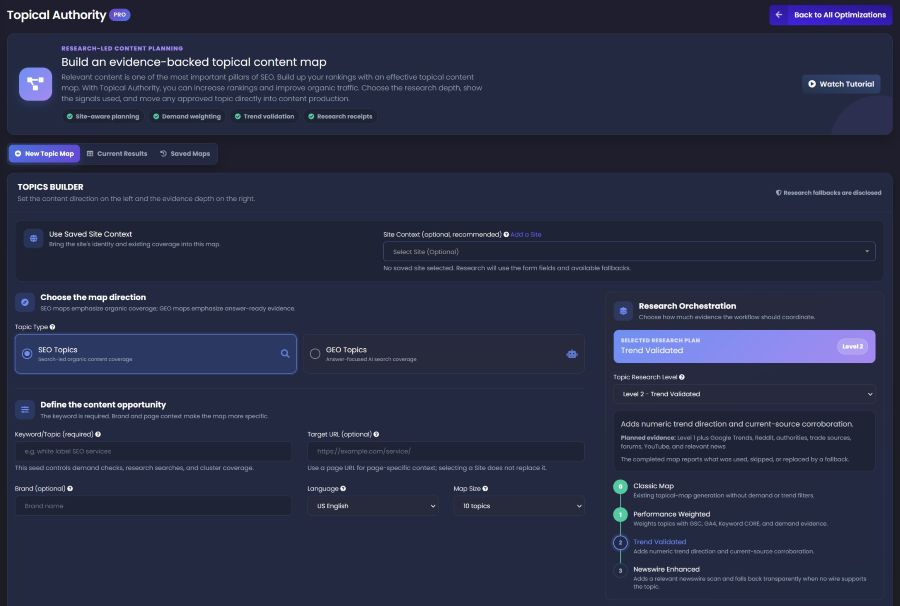
Choose the kind of coverage you need. Add your keyword, then refine the brief with a target page, brand, language, and map size.
Plan related articles around organic search needs.
Develop answer-focused topics for AI search coverage.
Keep the page context specific. A saved site can add identity and coverage context; it does not replace the optional target URL.
Research Orchestration
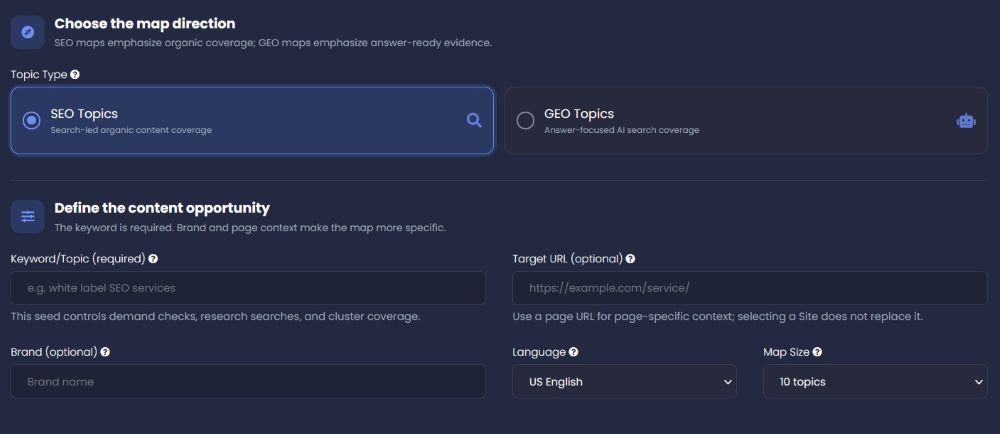
Four levels, from a classic topic map to a newswire-enhanced research workflow. The completed receipt shows what was actually available and used.
Level 0
Generate a topical map without demand weighting or trend filters. A starting point for exploring related coverage.
Level 1
Use available GSC, GA4, Keyword CORE, and demand evidence to help weight the topic opportunities.
Level 2
Add numeric trend direction and corroborating current sources to the performance-weighted research plan.
Level 3
Add a relevant newswire scan. When no suitable newswire supports the topic, the workflow discloses its fallback.
The evidence behind the ideas
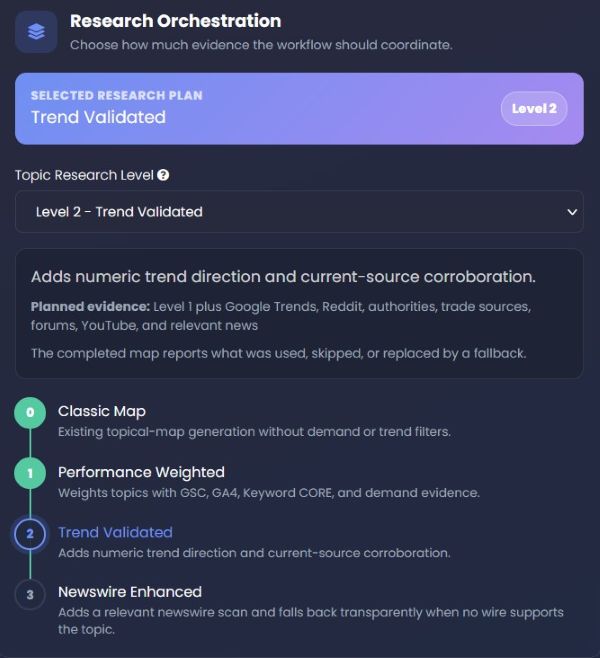
Inspect requested and applied research levels, demand and trend signals, cited sources, and coverage checks. Missing inputs and fallbacks stay visible.
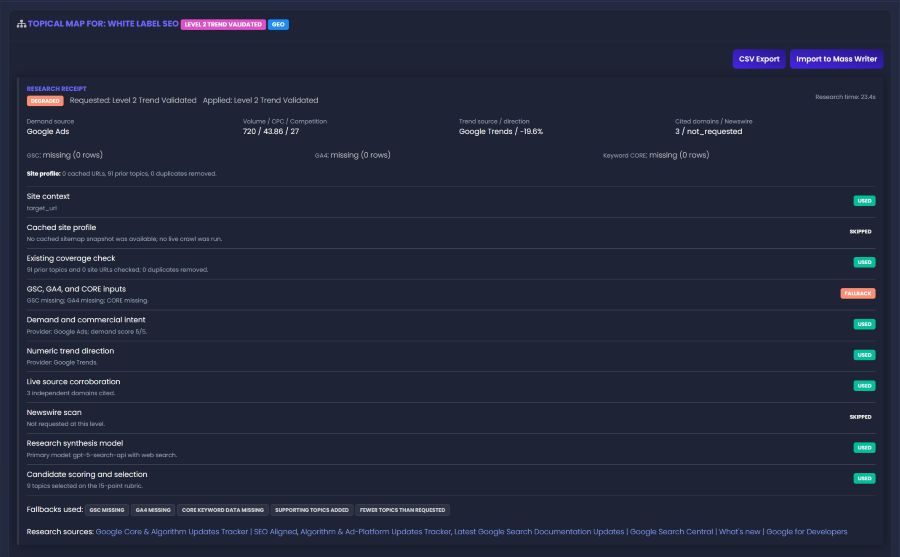
Read the limitations, too. A “Degraded” receipt is a reason to inspect evidence gaps—not to assume every planned source ran.
From research to the next article
Review opportunity labels, scores, supporting sources, recommended word counts, dates, and post paths before moving an idea into production.
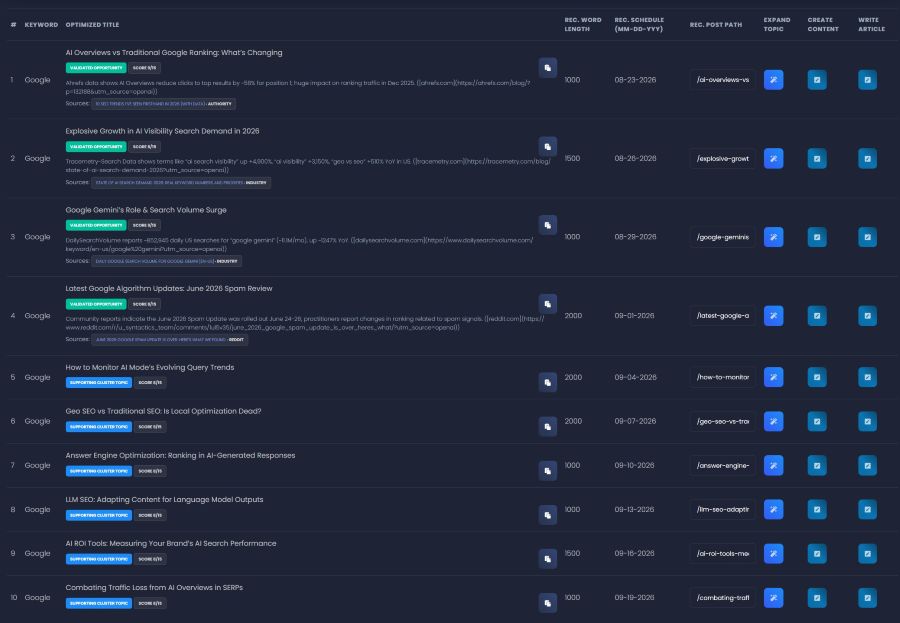
A more useful starting point than an unqualified list of titles.
Create free accountSee the workflow
Explore the product in these two videos. Some interface labels may differ from the current screenshots above.
Keep the work moving
Use an approved topic as the brief for Prose, or explore a managed SV campaign for ongoing content and optimization.
Explore Prose: Agentic Writing SystemProfessionally edited content and adaptive national optimization.
Explore plans SC-SERIESCompetitive research, editorial review, and AI visibility.
Explore plans XC-SERIESLocal-market intelligence, location coverage, and AI visibility.
Explore plans M-SERIESEnterprise editorial oversight and scaled search programs.
Explore plansManaged campaigns are separate from tool access. Research levels are not campaign tiers.
Before your first map
Understand the inputs, research levels, and next steps before putting a map to work.
Create your SV accountA topical authority map organizes related article ideas around a main subject. It helps you plan connected coverage instead of treating each post as an isolated idea. SV’s Topical Authority adds selectable research depth and a receipt showing the evidence available to the run.
SEO Topics focus on search-led organic content coverage. GEO Topics focus on answer-oriented coverage for AI search. Choose the direction that matches the content’s purpose, then review whether the suggested topics address real audience questions.
Start with Classic Map for initial topic planning. Use Performance Weighted to bring available performance and demand signals into the selection. Trend Validated adds trend direction and source corroboration. Newswire Enhanced adds a relevant newswire scan. The receipt shows what the selected workflow actually used.
A keyword or topic is the required starting input. Analytics and other research inputs may be unavailable; the example receipt explicitly records missing GSC, GA4, and Keyword CORE data and discloses fallbacks. Review those gaps rather than assuming every recommendation is based on connected first-party data.
No. Saved site context can supply site identity and available coverage information. The target URL provides page-specific context and is a separate, optional input. Cached site information may also be unavailable, which the receipt can disclose.
It flags that the research ran with limitations, such as missing inputs or fallback evidence. Read the requested and applied levels, the Used, Skipped, and Fallback rows, and the fallback notes. A completed map is not a claim that every planned source was available or used.
The displayed map includes Expand Topic, Create Content, and Write Article actions. The results view also shows CSV Export and Import to Mass Writer. Review the topic and its evidence first, then choose the action that fits your workflow and account access.
The map presents recommended schedules and post paths for planning. Treat them as suggestions to review, not confirmation that an article has been scheduled in your website or published. Content review and your publishing workflow remain separate steps.
Yes, account creation is free. Available research levels, content tools, and usage depend on your account access. Check your dashboard for what is included.
No. The map supports research and content planning; it does not guarantee search positions, traffic, or inclusion in AI answers. Use it to guide useful, accurate content, then review and measure the work after publication.
Make the next article a considered choice
Start with the subject that matters to your business. Build the map, review its evidence, and choose what to create next.