[email protected]
1-800-398-5212


SV AI SEO strategy tool
Compare your page with top-ranked competitors. Turn CORE AI scores, content-quality insights, and on-page recommendations into a focused optimization plan.
Already using SV? Sign in to your dashboard
Compare your pageUnderstand the competitive gap.
Find your prioritiesSee which areas need attention.
Plan your updatesReview changes you can put to work.
Inside the Competitive Comparison Report
Explore the report views below. Each answers a different question about your page.
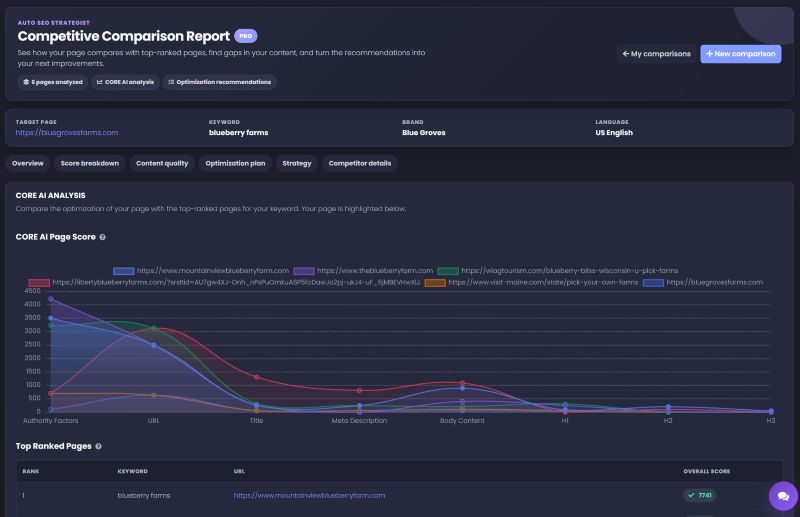
Overview
See top-ranked pages alongside your target page. The CORE AI chart helps you compare optimization profiles before digging into individual factors.
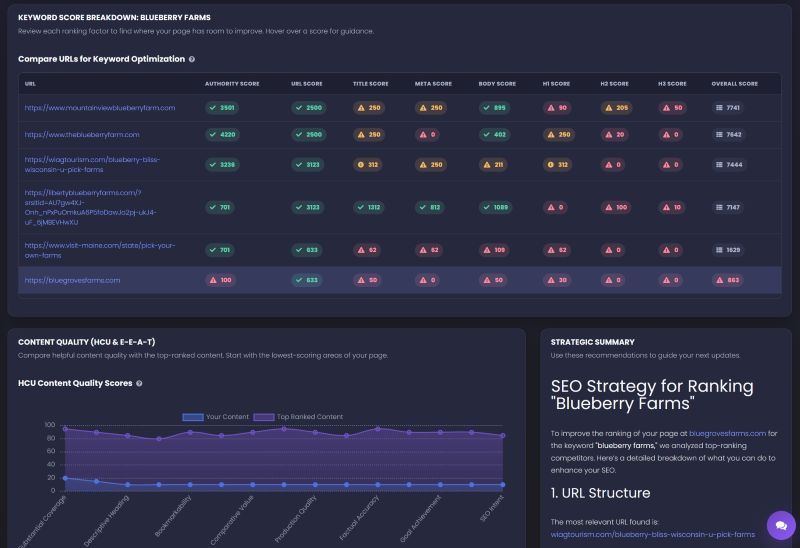
Score breakdown
Compare the elements behind each page’s optimization profile. The side-by-side breakdown helps you see where your page differs from the competition.
Eight CORE AI score categories
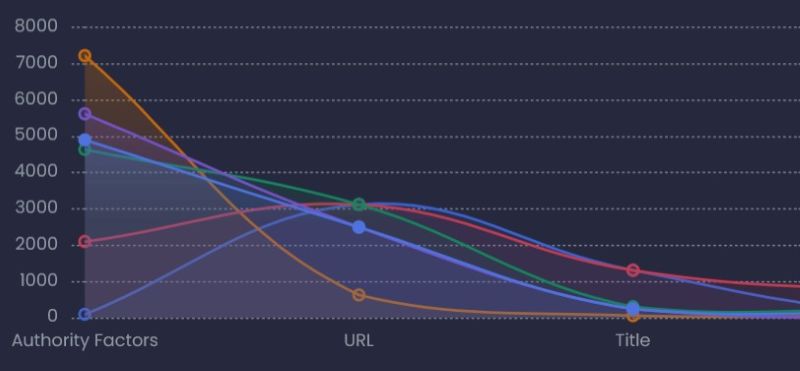
Strategy
Read the strategic summary alongside the comparison. Use the recommendations to decide which page elements and content areas to investigate first.
Content quality · HCU & E-E-A-T
Compare your content with top-ranked pages across helpful-content and E-E-A-T criteria. Find the areas that deserve a closer editorial review.
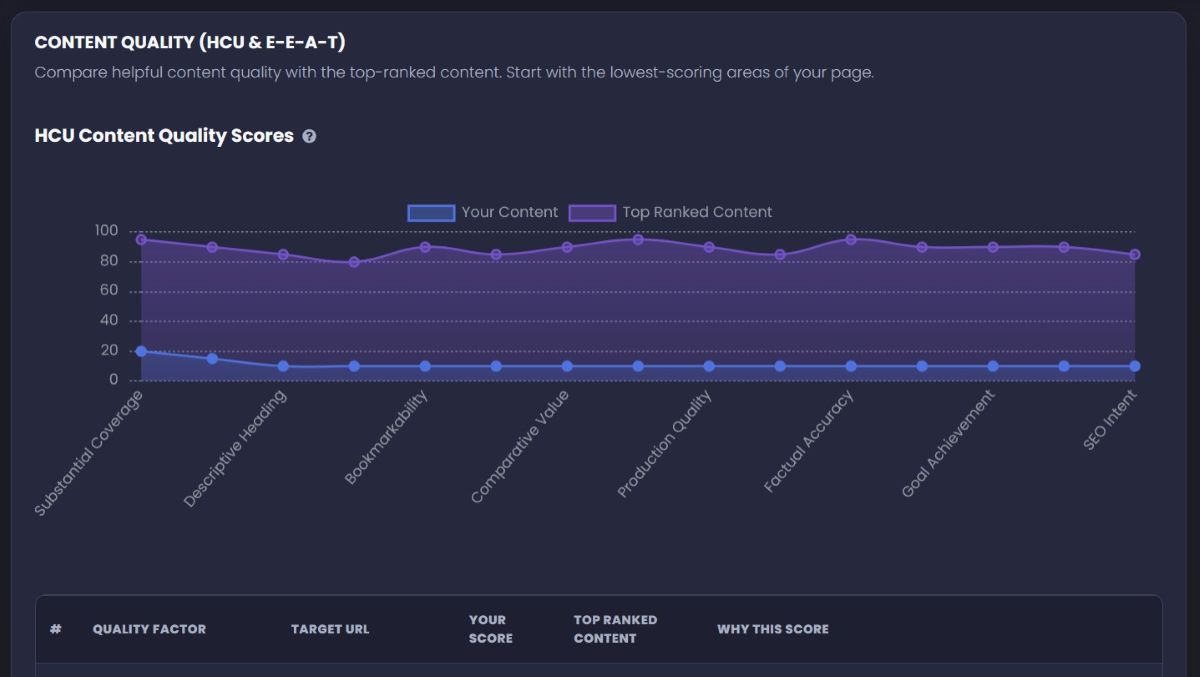
Does the page address the topic in enough depth?
What useful value does it add for the reader?
Which statements need verification or stronger support?
Does the content help the visitor accomplish their goal?
Content-quality scores are SV’s diagnostic assessments, not scores supplied by Google.
Your optimization plan
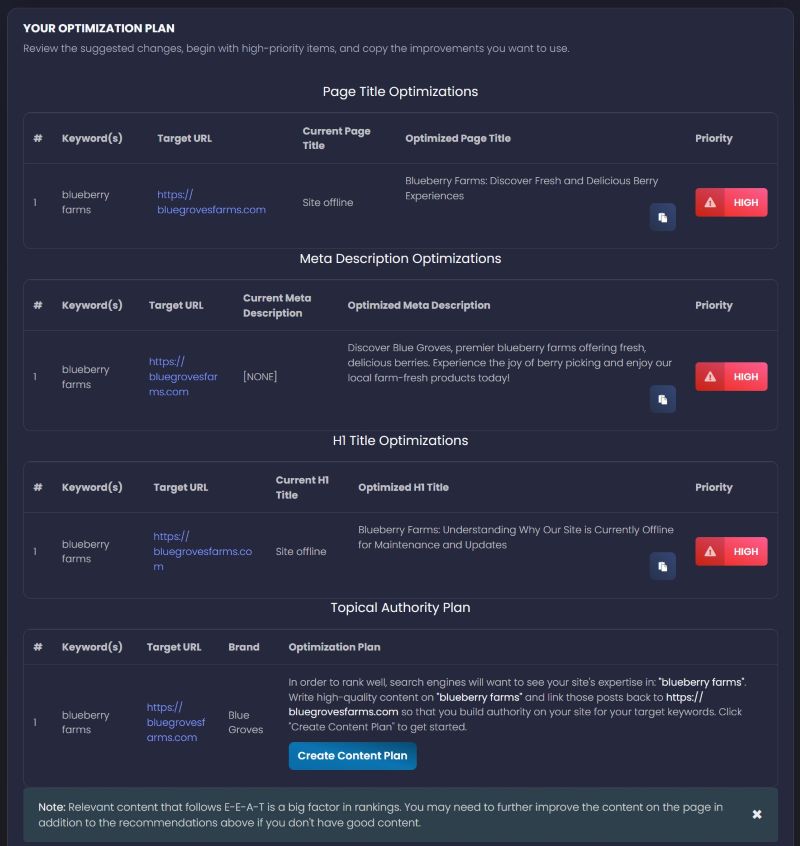
Put the comparison to work with suggested on-page updates. Review the current version, consider the proposed change, and choose what to implement.
Review page titles, meta descriptions, and H1 recommendations side by side.
Use the priority labels to organize your review and copy the changes you approve.
The Topical Authority Plan gives you a starting point for building out related content.
Review recommendations before applying them to your website.
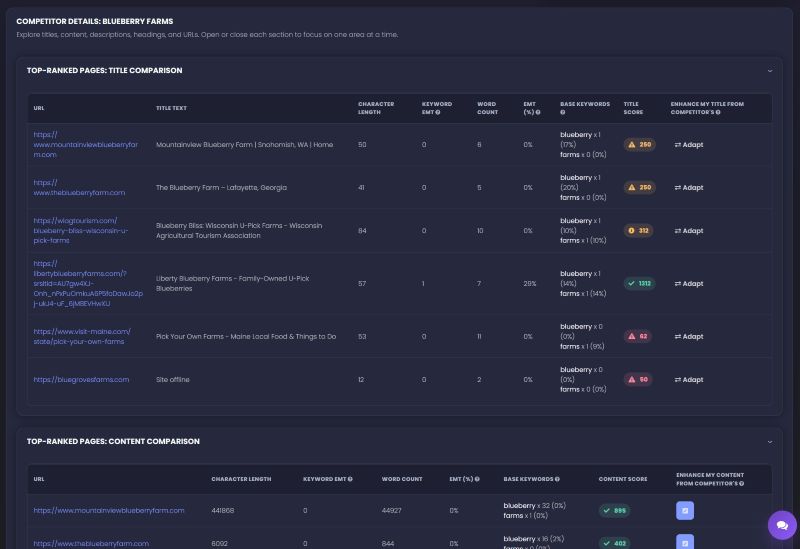
Competitor details
Inspect competing titles, content, descriptions, headings, and URLs. Compare word counts, character lengths, keyword usage, and element scores without losing the page-level context.
Use the comparison to inform original, useful updates—not to copy another page or chase a keyword quota.
Your next step
Bring a page URL, a keyword, and the right brand and market context.
Review the scores, content quality, competitor details, and strategy together.
Check the recommendations and turn your approved priorities into page updates.
Before you begin
SEO Strategist is SV’s AI-powered SEO strategy tool. It compares a target page with top-ranked competitors and brings together CORE AI analysis, content-quality insights, a written strategy, and prioritized on-page recommendations.
Start with a target page URL and a keyword. Add your brand and choose the language and market relevant to your audience. These inputs keep the comparison focused on the page and search opportunity you want to improve.
The report includes Overview, Score breakdown, Content quality, Optimization plan, Strategy, and Competitor details. Together, these views connect the competitive landscape with the specific page elements and content areas that deserve a closer look.
Yes. The Content Quality view compares your page with top-ranked content across helpful-content and E-E-A-T-related criteria. Use it to identify areas to review, such as coverage, factual accuracy, comparative value, and how well the page serves its reader.
The report gives you suggested changes, priority labels, and copy controls. Review the recommendations, check them against your page and brand, and apply the approved changes through your website editor or implementation team.
No. CORE AI and content-quality scores are SV’s diagnostic assessments, not scores issued by Google. Use them to guide investigation and prioritize useful improvements—not as a prediction or guarantee of a particular search position.
Yes. You can create a free SV account and access the dashboard. Review the feature availability, plan details, and usage allowances shown in your account before starting work.
Yes. The API accepts a target URL and keyword, creates a strategy task, and lets your application check its status and retrieve the result. Read the SEO Strategist API reference .
A clearer plan starts with a comparison
Bring your page and target keyword to SEO Strategist.
Check feature availability and usage allowances in your dashboard.