FIND THE FRICTION
See what a valuable page is missing.
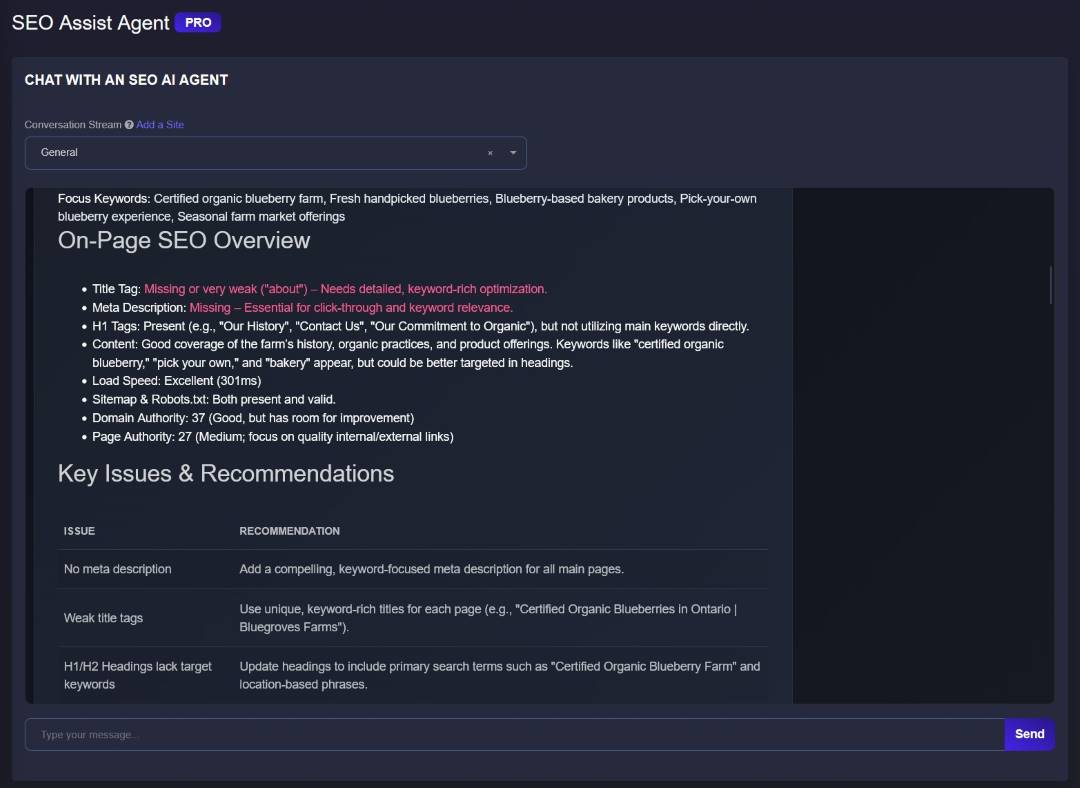
This review flags weak title tags, a missing meta description and heading opportunities—specific issues your team can investigate and improve.


SVFREE TO START · CONNECTED SEO TOOLS
Your next lead starts with a better next move.
Ask for an audit, keyword opportunities or a content plan. SEO Assist connects your request to SV tools—so you can find what needs attention and move the work forward.
Start with a free account. Advanced tool access depends on your plan.
See the question become the next step.
Conversation → connected tool → actionReview the findings. Choose the action. Your team makes the changes.
SEE WHAT YOU CAN WORK WITH
Start with the pages that should be bringing in business. These product examples show how an on-page review can lead to a focused improvement plan.
FIND THE FRICTION
This review flags weak title tags, a missing meta description and heading opportunities—specific issues your team can investigate and improve.
MAKE THE NEXT MOVE
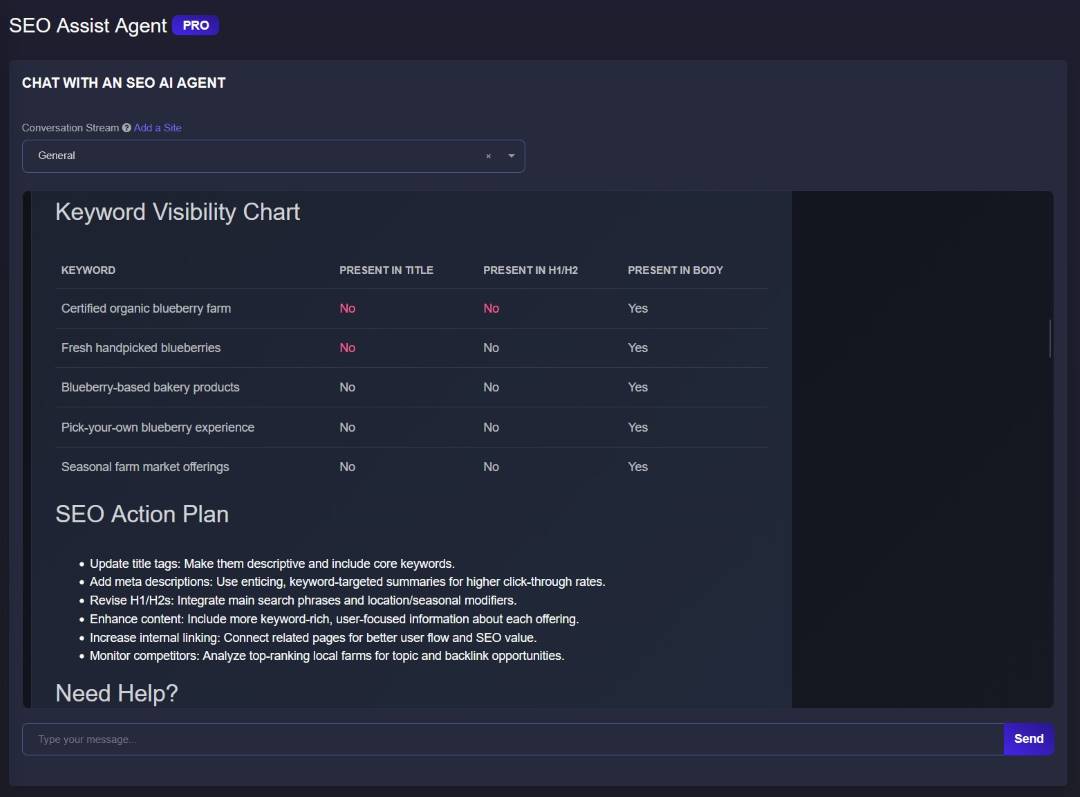
The next view connects keyword coverage with recommendations for titles, headings, content and internal links. A starting point for action, not another report to file away.

ONE AI AGENT. A CONNECTED WORKFLOW.
Describe the outcome you need. Get a useful response and a direct link to the SV tool that helps you take it further. Keep the site’s questions, findings and follow-up work in its own conversation stream.
Less time figuring out where to start. More attention on the pages and opportunities that matter to your business.
KEYWORDS, TOPICS & PAGE MAPPING
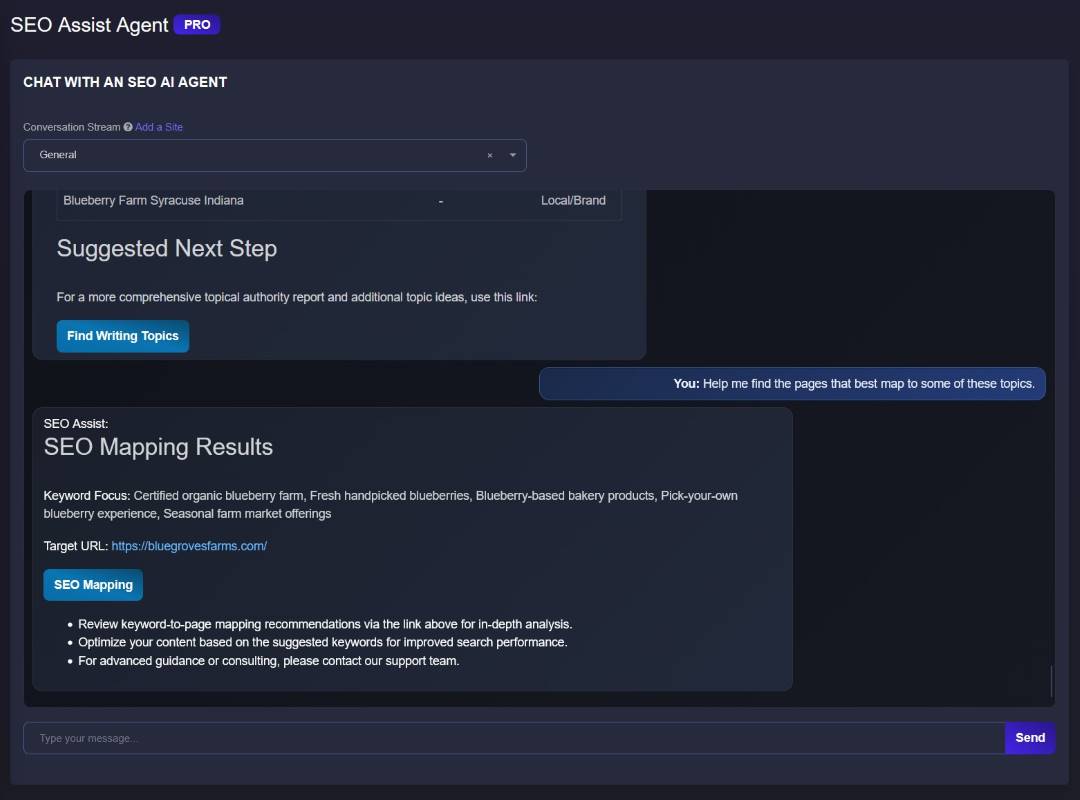
A keyword list is only a beginning. Find useful angles, separate the intent, and decide which page should do the work.
FIND THE TOPIC
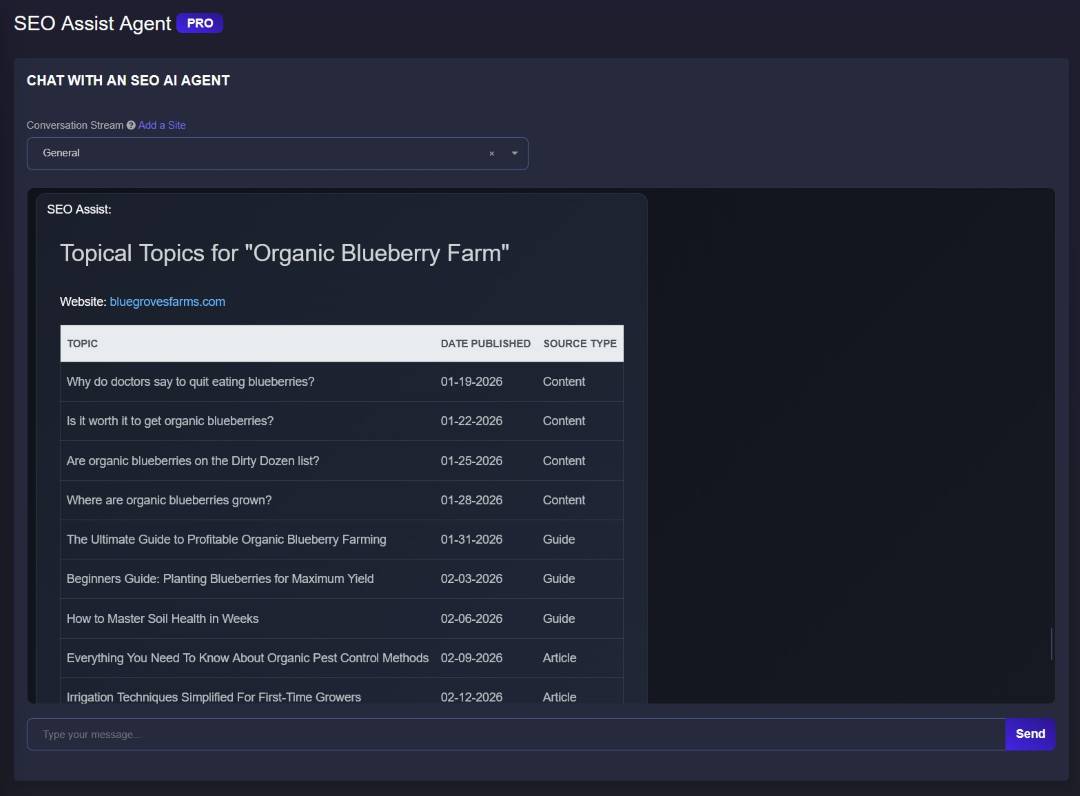
Use Topical Authority AI to explore topics around your core offering and build a more connected content plan.
UNDERSTAND THE INTENT
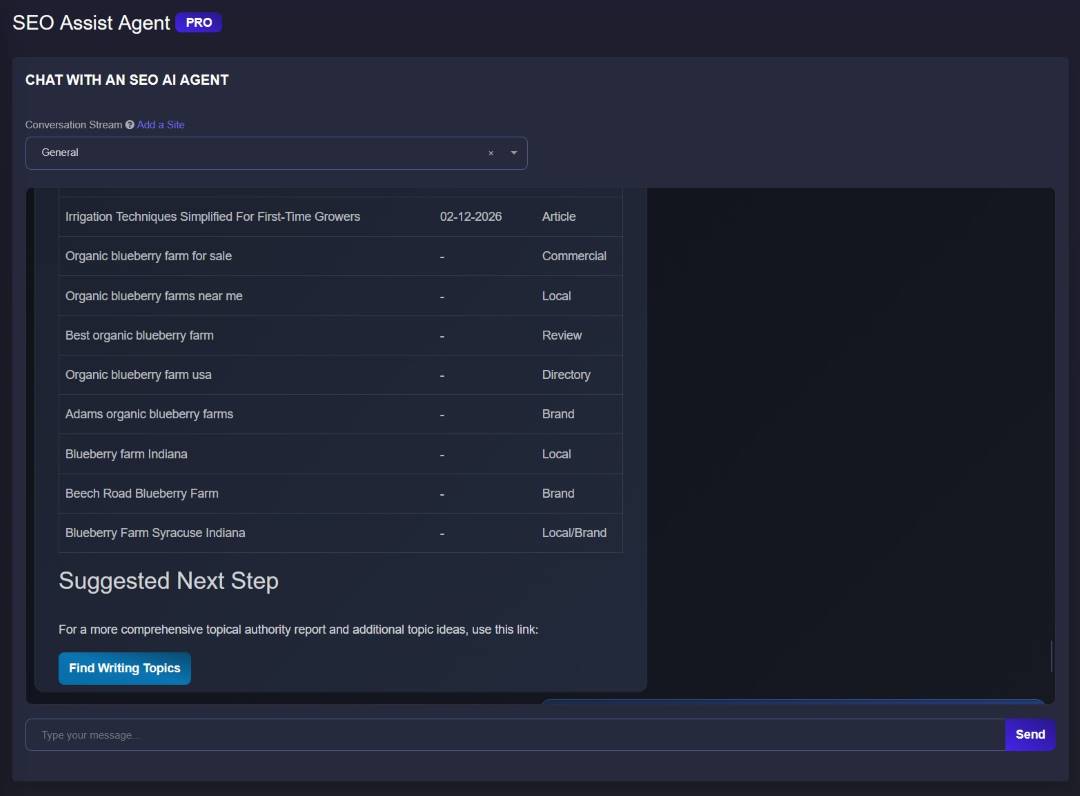
Develop commercial and local angles. Use Better Keywords AI to explore terms for your topic, site, language and location.
CHOOSE THE PAGE
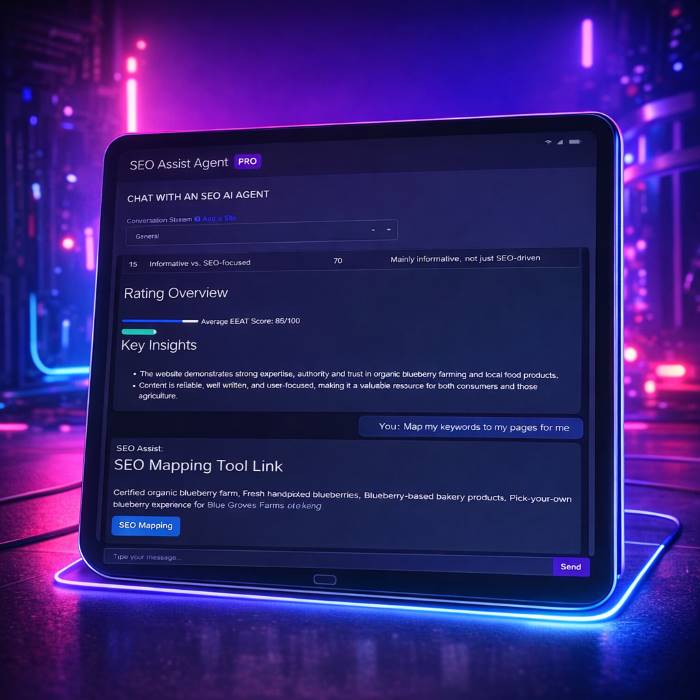
Use SEO Mapping AI to connect keyword targets to relevant URLs and organize the next round of page improvements.
CONTENT QUALITY & OPPORTUNITY
Being found is only part of the job. Review how clearly a page explains the offering, supports its claims and helps the reader take a useful next step.
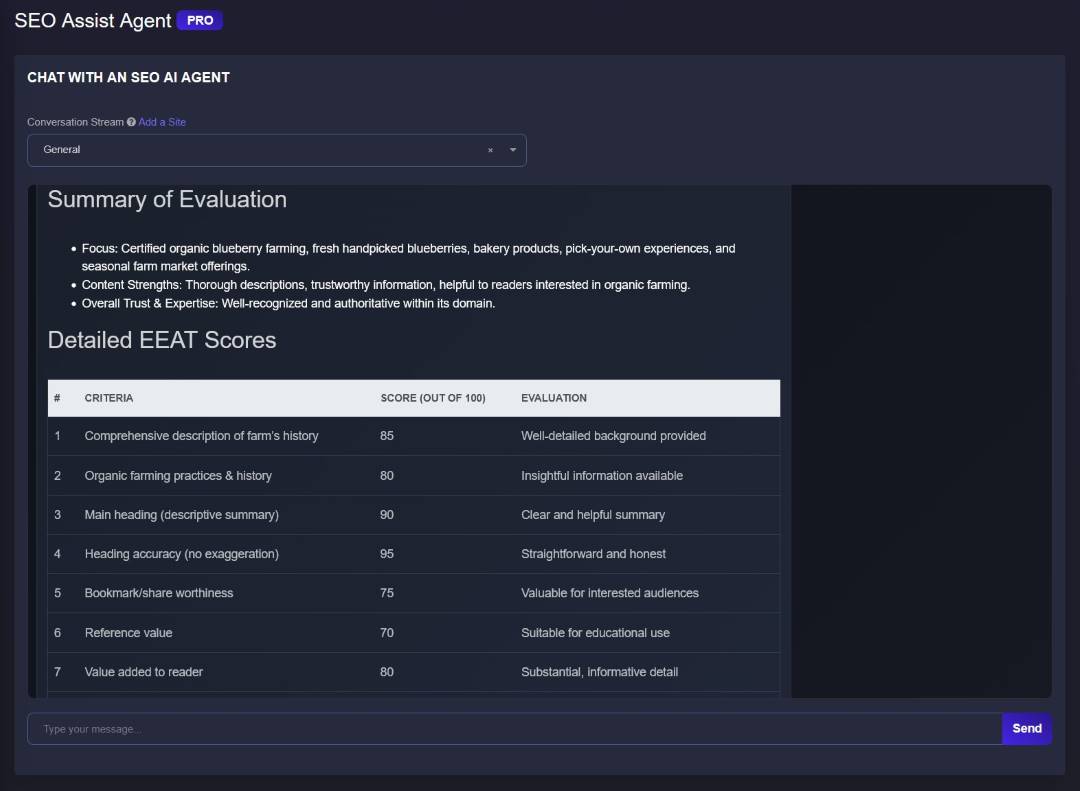
START WITH THE BIG PICTURE
Use the evaluation summary to frame the content discussion before deciding what to rewrite.
LOOK AT THE DETAILS
HCU / E-E-A-T Content Quality AI reviews criteria such as writing, organization, usefulness and trust.
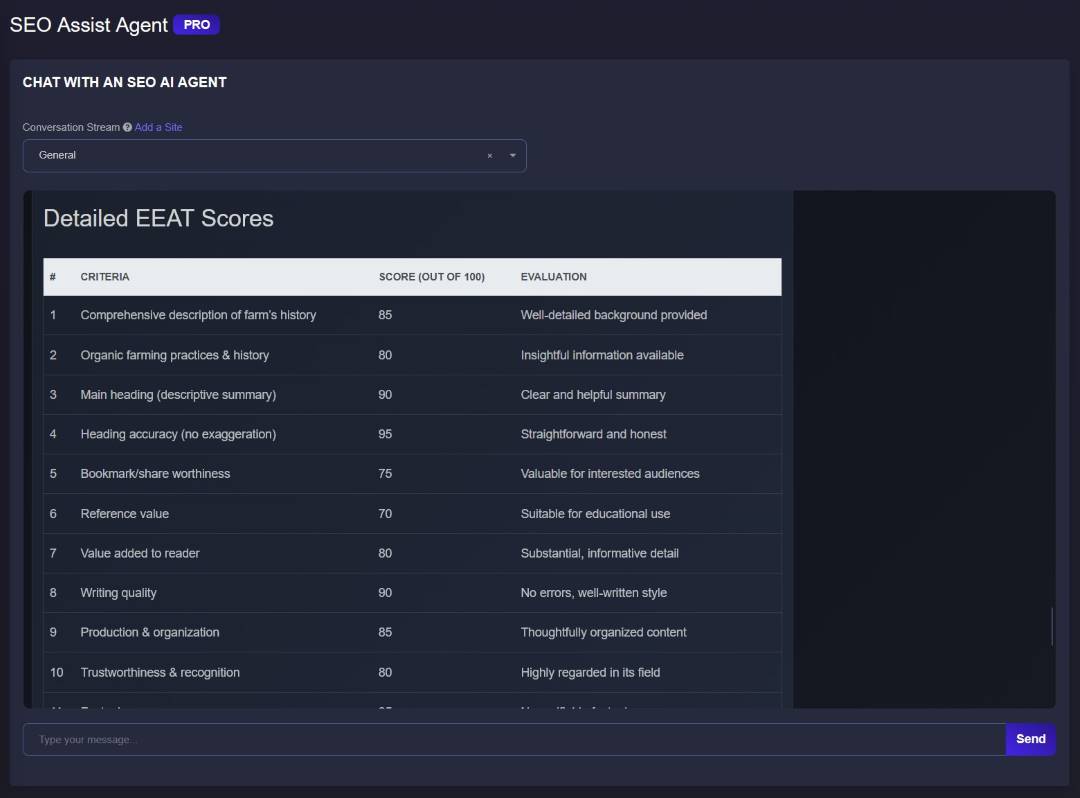
AI-generated evaluations support your review; they are not measured ranking improvements. Content Quality AI requires eligible PRO access.
KEEP ASKING BETTER QUESTIONS
Use Get Insights Link and Insight Igniter AI to explore entities, strengths and gaps. Turn that second look into specific content and positioning ideas—not more words for their own sake.
Explore Insight Igniter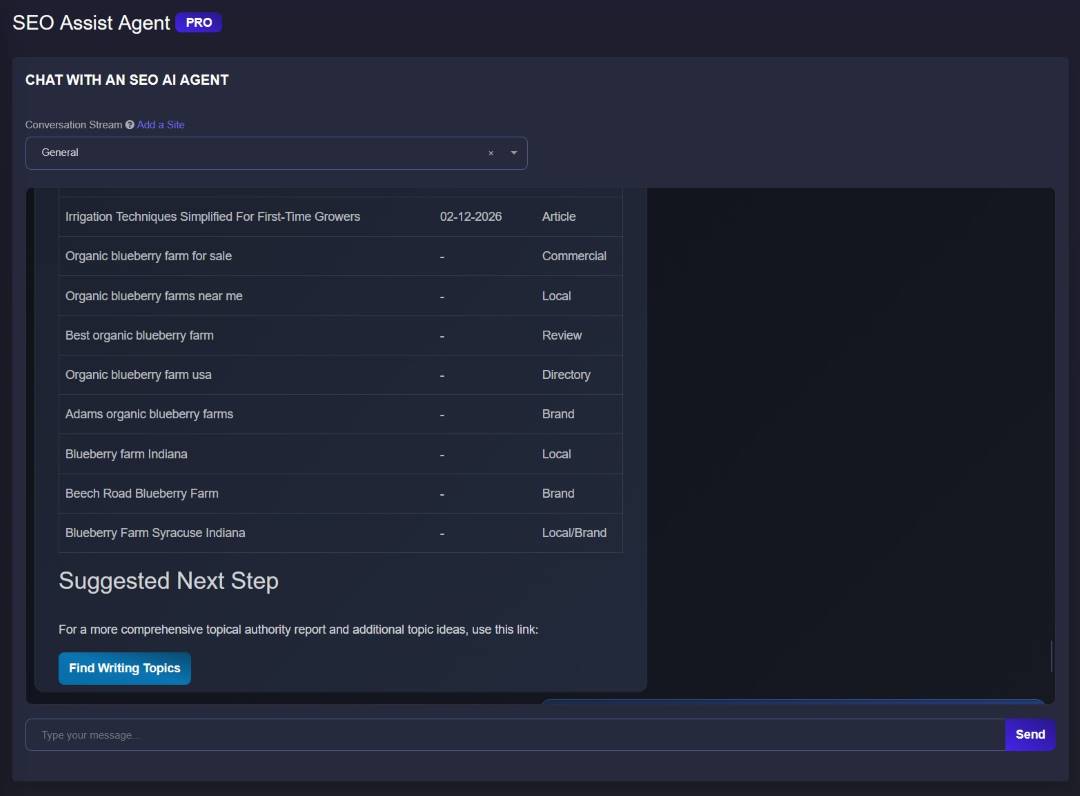
YOUR TOOLKIT, CONNECTED
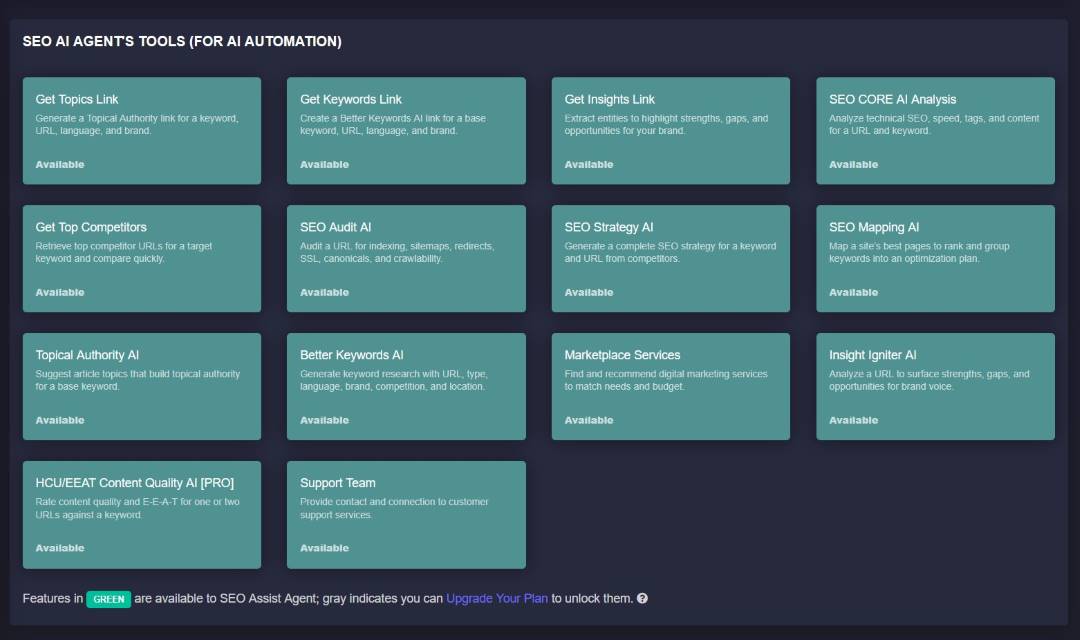
Your account shows which tools are available and which need an upgrade.
FOR AGENCIES, CONSULTANTS & IN-HOUSE TEAMS
Your clients do not share the same goals. Their SEO conversations should not share the same workspace.
Add sites or campaigns and give each its own conversation stream.
Switch between streams without mixing up the site’s context, notes or tool outputs.
Bring a clearer issue, opportunity or page plan to the conversation—and agree on what happens next.

START WITH ONE SITE. ONE QUESTION.
Open SEO Assist inside the SV platform.
Start a conversation for the page or project you want to improve.
Review the answer, open the relevant tool and choose what to implement.
A FIRST PROMPT TO TRY
“Review this service page. What should I improve first so the right visitors can find it and understand the offer?”
BEFORE YOU START
SEO Assist Agent is SV’s conversational AI for SEO research, analysis and planning. Describe what you need, review the response, and open a connected tool to continue the task. Separate conversation streams help keep each website or project organized.
You can create a free SV account to get started with SEO Assist Agent. Access to individual tools and advanced features depends on your account’s plan. HCU / E-E-A-T Content Quality AI is identified as a PRO feature, and some screenshots on this page show PRO access.
SEO Assist combines a conversational interface with site-specific streams and direct links to SV’s SEO tools. The useful difference is the path from a request to a specialist workflow: an audit, topic plan, keyword research, competitor strategy or keyword-to-page map.
No. It helps you analyze a site, plan improvements and open the relevant tools. You or your team review the recommendations and implement changes. Marketplace Services can help you explore execution options when you need additional support.
Yes. Add sites or projects and use a separate conversation stream for each. You can switch between streams while keeping the site’s context, notes and tool outputs organized around that project.
You can start keyword research, topic planning, technical and on-page analysis, competitor research, SEO strategy, keyword-to-page mapping and content-opportunity analysis. Content-quality evaluation is also available with eligible PRO access. The connected-tool directory shows what your account can use.
No. An evaluation score is a signal to investigate, not a ranking result or a lead forecast. Review the recommendations, improve the relevant pages, and measure what happens to search visits and real inquiries or sales in your own reporting.
Create your free account, open SEO Assist, add a site or project, and start a conversation. Give the agent a clear goal—such as reviewing an important service page—then follow the recommended tool link and decide what to implement next.
YOUR NEXT SEO MOVE STARTS HERE
Bring a real question about your website. See where SEO Assist takes the work next.
Free account available. Tool access varies by plan.